Clinic Continuity Playbook for Sunshine Coast Practices: Downtime Procedures
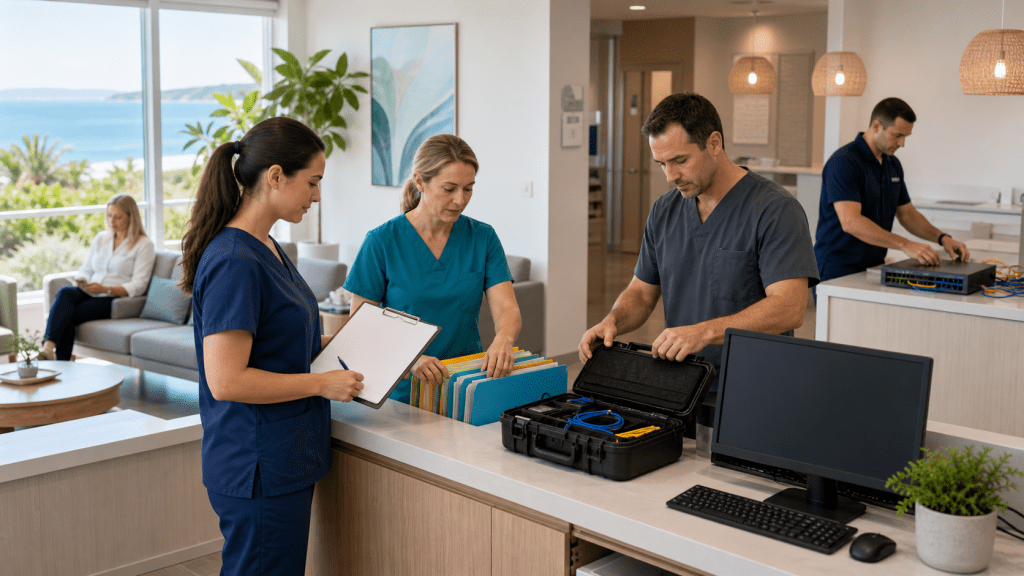
Keep Your Clinic Running When Technology Fails
When core systems go down in a busy clinic, everything can stall in minutes. A full waiting room, ringing phones, repeat scripts, care plans, and telehealth, it all depends on your tech working when you need it.
When the EHR freezes, the phones stop, or the internet drops, the real impact shows up fast: delayed care, lost notes, upset patients at the desk, and a team who suddenly feel stuck. Billing can fall behind, doctors feel pressured, and your clinic reputation can take a hit in the local community.
A clear downtime playbook turns that chaos into a calm, step-by-step response. For Sunshine Coast practices, with growing digital dependence and the odd storm or outage, planning this before the next busy season is part of smart business continuity for Sunshine Coast healthcare.
We are based on the Coast and work every day with medical and business IT and telecom services, so we see what works when clinics are under pressure. Let us walk through how your team can build simple, practical downtime procedures that actually get used.
Map Your Critical Systems Before the Next Outage
Before talking about checklists and drills, you need to know what you are protecting. That starts with a clear list of all the moving parts that keep your clinic running.
Most practices will include systems like:
- Clinical software such as your EHR and practice management
- Imaging portals and radiology access
- Pathology portals and results feeds
- Phone system and voicemail
- Internet connection and Wi-Fi
- EFTPOS and Medicare claiming tools
- Email and secure messaging
- Printers, label printers, and scanners
Once you have the list, rank each system by both clinical risk and business impact. Ask simple questions:
- If this fails, does patient care stop right away?
- Does it slow care but we can keep going for a while?
- Can it wait until after the clinic once the rush is over?
Then sketch quick dependency maps. For example, telehealth needs phones plus internet. Medicare claims need internet plus banking tools. Secure messaging needs the right logins and your network. This shows where a single fault could bring down several services at once.
On the Sunshine Coast, many practices have seen NBN problems, short power interruptions during storms, or wider carrier issues. Mapping systems and dependencies ahead of time is a smart mid-year task, while you still have space to plan calmly.
Step-by-Step Procedures for EHR and Clinical Software Downtime
When clinical software freezes, staff can waste precious time trying the same fixes. A clear EHR downtime checklist tells everyone when to stop trying and switch to plan B.
Your EHR downtime procedure should cover:
- Who can officially declare “we are in downtime”
- How long to attempt basic troubleshooting before moving to paper
- Where paper templates, history sheets and labels are stored
- How to record arrival, triage, consult notes, scripts and recalls on paper
Clinical safety must stay front and centre. Simple rules help:
- Mandatory allergy checks at reception and again in the room
- Double-signing hand-written prescriptions and pathology forms
- Clear workarounds when electronic prescribing is not available
- Strong labelling on all manual records so they can be filed and entered correctly later
Recovery is just as important as the outage itself. Decide ahead of time:
- Who is responsible for back-entering data into the EHR
- What must be entered the same day, such as scripts, results actions and vaccinations
- How you will cross-check that every patient seen has a matching encounter and billing
We suggest at least one EHR downtime drill each year, timed before your peak periods. A short, staged exercise lets your team rehearse without stress and spot gaps in your forms or processes while nothing is actually on fire.
When Phones or Internet Fail
Phone problems and internet loss can hit out of nowhere, especially on busy mornings. Clear playbooks help reception and clinicians respond in the same way every time.
For phone outages, plan simple steps:
- Switch to mobile diversion, if your setup allows it
- Turn on a pre-written voicemail message explaining the issue
- Let key referrers and nearby pharmacies know what is happening
- Shift bookings to front-desk only, using paper appointment sheets if needed
When the internet drops, it can affect cloud EHRs, telehealth, claims, and more. Your internet loss procedure might include:
- Moving to a 4G or 5G backup connection when available
- Knowing which systems have offline modes and how to use them
- Recording EFTPOS payments and Medicare claims to process later if networks are down
- Pausing non-urgent online tasks so bandwidth is saved for clinical work
Clear communication helps keep patients calm. Simple moves like:
- Short signage at reception explaining what is down and what is still working
- Quick updates on social media or your site, if possible, with alternative contact paths
- A printed list of urgent numbers for local hospitals, after-hours services and ambulance
Good telecom and cloud design is a big part of business continuity in Sunshine Coast clinics. Redundant internet links and voice systems built for medical needs give you more options when something fails.
Clear Roles so Every Staff Member Knows What to Do
Even the best plan fails if no one knows who is in charge. Defining roles turns “everyone running around” into a calm, coordinated response.
Common clinic roles during downtime include:
- Incident Lead, often the practice manager or senior GP on site
- Clinical Safety Lead, to keep an eye on risk in consults and triage
- Communications Lead, for patients, staff and external providers
- IT Liaison, who talks with your managed IT and telecom providers
- Scribe or Runner, who tracks tasks, fetches forms and supports the team
Break down responsibilities in plain language. For example:
- Who makes the call to move to paper workflows
- Who explains the situation to the waiting room and updates signage
- Who gathers information for your IT support and logs times and symptoms
- Who keeps a running list of follow-up tasks for the post-incident review
Quick-reference tools help under pressure. We like a laminated one-page “who does what” sheet at reception and in every consulting room. Add after-hours instructions for doctors working late or on Saturdays, when the full team is not around.
Short seasonal refreshers work well. A simple 10-minute briefing mid-year to run through roles, check emergency contacts and confirm telecom and IT details keeps everything fresh without eating into clinical time.
Turn This Playbook Into a Live, Tested Clinic Routine
The goal is not a thick folder that gathers dust. You want a short, practical downtime manual that sits beside every workstation and gives staff a calm script to follow when things go wrong.
A simple 90-day action plan can help:
- Month 1, map systems, dependencies and local risks
- Month 2, write clear downtime steps for EHR, phones and internet, and assign roles
- Month 3, run a tabletop exercise with your IT partner to test and refine the workflows
At NOYTECH, we focus on managed IT and telecom for medical and business clients on the Sunshine Coast, including cloud services, voice systems and disaster recovery. Our team can help review your continuity setup, check backups, test failover for phones and internet, and turn your ideas into clear, clinic-ready procedures that your staff can follow with confidence.
Protect Your Sunshine Coast Business With a Proven Continuity Plan
If you are ready to safeguard your operations against outages, data loss and cyber incidents, our specialists can help design and implement tailored business continuity in Sunshine Coast solutions. At NOYTECH, we work closely with your team to identify critical systems, tighten recovery processes and keep your business running when it matters most. Reach out to contact us and we will walk you through practical next steps to strengthen your resilience.